

You’ve built a slick online store, optimized your product listings, and maybe even cracked the social media code.
But the moment you start attracting global customers, one thing becomes very real, very fast:
Try our online invoicing software for free

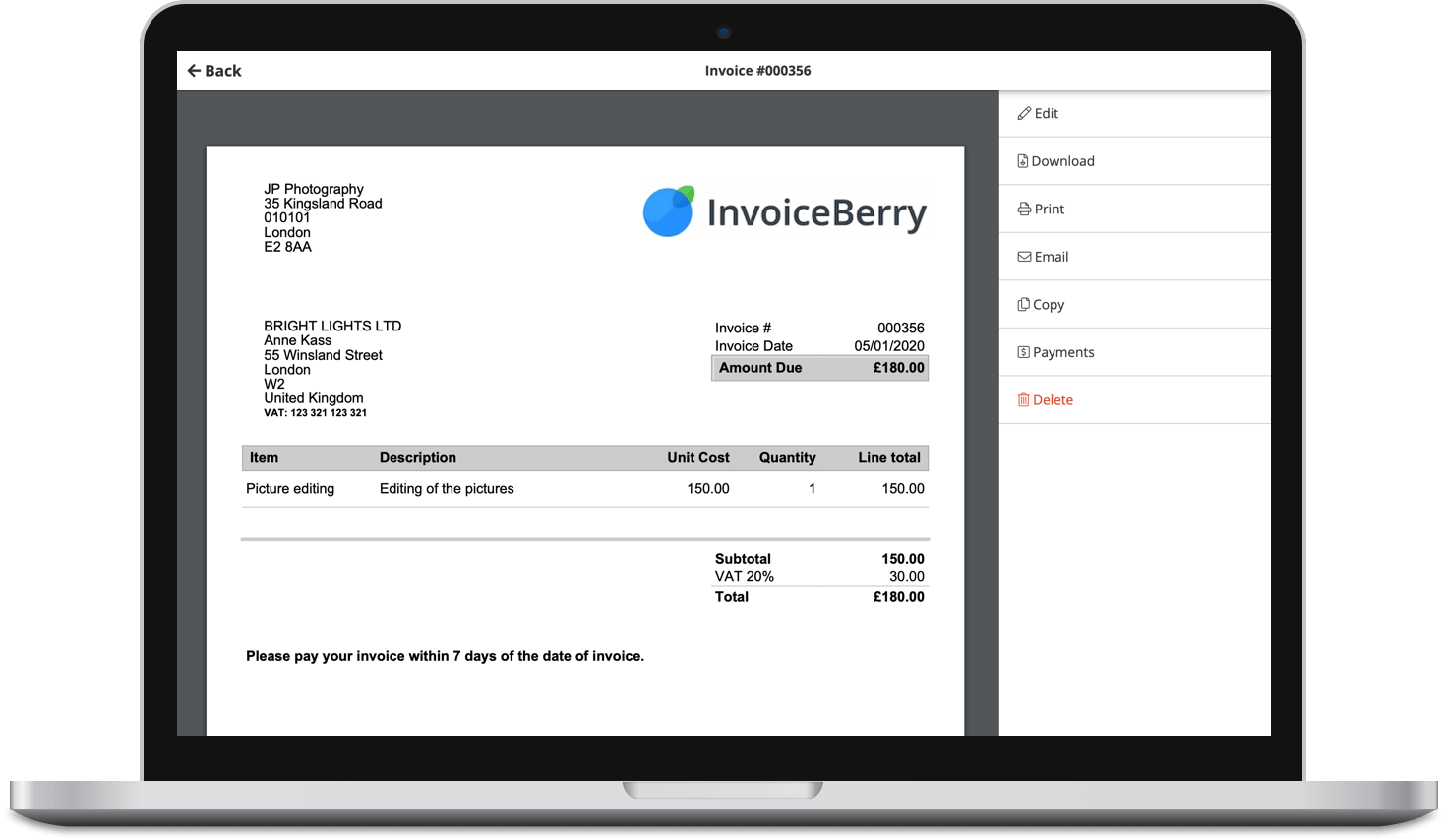
Accept online payments with ease
Keep track of who's paid you
Start sending invoices
How do I actually accept international payments without losing money in the exchange?
If you’ve ever seen your profits vanish into bad conversion rates or surprise foreign transaction fees, you’re not alone. International payment invoicing can feel like speaking a different language, especially when every platform, payout, and currency acts like its own dialect.
But don’t worry. You don’t need to be fluent in finance.
Here’s what every e-commerce business owner should know about currency support, exchange rates, and how to get from international clients without hassle.
A complete guide to international payment invoicing
Opening your store to the world is great for growth, but international payments come with risks that can chip away at your margins. From high currency conversion fees to delayed payouts and refund issues, getting paid across borders isn’t always as simple as clicking “checkout.”
The good news is, with the right tools and setup, you can keep costs predictable, reduce surprises, and give your customers a smoother experience, no matter where they are.
1. Know your currency options (and your processor’s limits)
Before you start marketing to global customers, you need to understand what your payment provider supports and how they handle cross-border transactions.
Not all platforms are created equal:
- Shopify Payments supports over 130 currencies, but applies a 1.5–2% conversion fee.
- Stripe lets you accept 135+ currencies and settles in many, but there’s a 2% foreign exchange (FX) fee.
- PayPal is global, but their exchange rates are often marked up 3–4% above mid-market.
- Wise and Payoneer allow you to hold funds in local currencies and convert when you choose, often at lower rates.
If your payment processor doesn’t support settlement in a customer’s currency, it’ll convert automatically, but usually at a rate that favors them, not you.
So, before you flip on that “International Shipping” switch, make sure you know:
- What currencies you can accept
- Which fees are baked into the transaction
- Who’s responsible for conversion (you or the customer?)
2. Understand how currency conversion fees affect your margins
Let’s say you list a product for $100 USD. A buyer in the UK pays in GBP. Between currency conversion, gateway fees, and platform charges, you may only see $90 or less hit your account.
Where does the money go?
- Currency spread: Most platforms don’t use mid-market exchange rates (the real ones you see on Google). They add a markup, sometimes 2–5%.
- Platform fees: These stack on top of the markup.
- Double conversion: If your bank or gateway converts GBP to EUR and then to USD (yes, that happens), you’re hit twice.
Multiply that by 50-100 orders a month, and it’s easy to lose hundreds (or more) to fees you didn’t budget for.
What to do about it:
- Compare payment processors not just on processing fees, but also exchange markups.

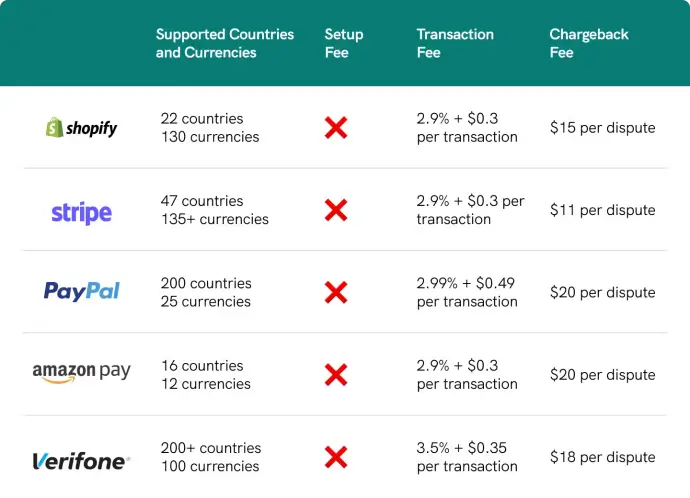
- Use multi-currency accounts (e.g., Wise, Payoneer) to receive funds in the buyer’s currency. Then, convert it yourself at better rates.
- Build it into your pricing. If most of your buyers are overseas, factor in a bigger for these fees.
3. Display prices in local currency (and know what it means for you)
Did you know that nearly half of shoppers abandon their carts due to unexpected costs?

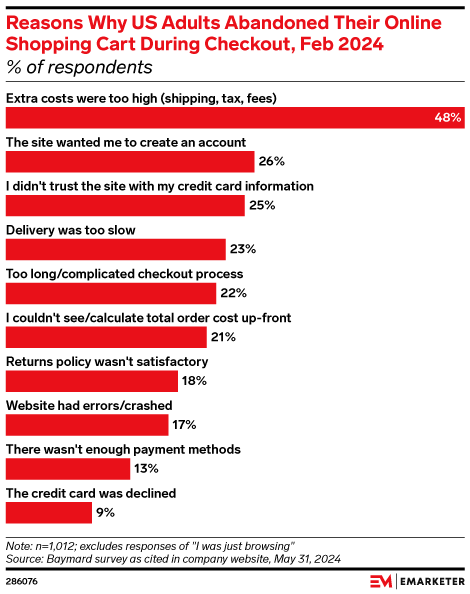
Showing prices in a customer’s local payment options and currencies builds trust and increases conversions. That’s because there are no surprise fees at checkout. Shopify, BigCommerce, and WooCommerce all support multi-currency displays.
But the catch is…you’ll likely still receive payment in your base currency unless you’re using a processor that settles in multiple currencies. This means you’re still on the hook for conversion fees.
To avoid confusion when comparing FX rates and fees, it helps to understand quote and base currency. The base currency is the one you’re pricing or settling in (e.g., USD), while the quote currency is the one being converted against it (e.g., GBP)—which is why the same “rate” can look different depending on how it’s presented.
If you want to display and receive in the local currency (say, euros for EU customers), you’ll need a setup like this:
- A processor like Stripe with a multi-currency settlement feature
- A business bank account or digital wallet (like Payoneer or Revolut Business) that can hold and convert foreign currencies on your terms
4. Watch out for platform lock-in
Sometimes, your e-commerce platform or payment processor forces you to convert at their rates with their timeline.
That means:
- You don’t choose when to convert (even if rates are bad that day).
- You don’t see the true rate until after the transaction.
- You can’t shop around for a better deal.
That’s a problem if you sell high-ticket items or deal in high-value items.
To fix this, use:
- Payment providers that let you hold foreign currency
- Payout tools that connect to external FX services (so you can convert later, when it makes more sense)
5. Don’t forget about refunds and chargebacks
International refunds and chargebacks get even trickier:
- Refunds may go out at the current currency exchange rate, not the one from the original purchase.
- Some platforms eat the loss, while others make you eat it. Check their policy.
- Chargebacks often come with higher fees when cross-border. That $60 hoodie could cost you $90 in dispute fees, penalties, and FX risks and losses.
Tip: Always list prices in both your local currency and the buyer’s currency when possible. And use clear refund policies tailored for global buyers.
6. Choose invoicing software that supports multi-currency billing (and best practices)
Sending invoices abroad isn’t just about converting currencies. It’s also about making sure you follow invoicing best practices so clients pay on time, no matter where they are.
If you’re still sending static PDF invoices or relying on software that only supports one currency, you’re likely creating friction for your international customers. Instead, look for invoicing software that allows you to:
- Issue invoices in the customer’s local currency
- Show clear converted totals alongside your base currency for easier accounting
- Integrate with global payment gateways (Stripe, PayPal, etc.)
- Support language localization where needed
- Add due dates, clear payment terms, and late fee reminders to avoid delays
- Keep invoices professional and branded, which builds trust across borders
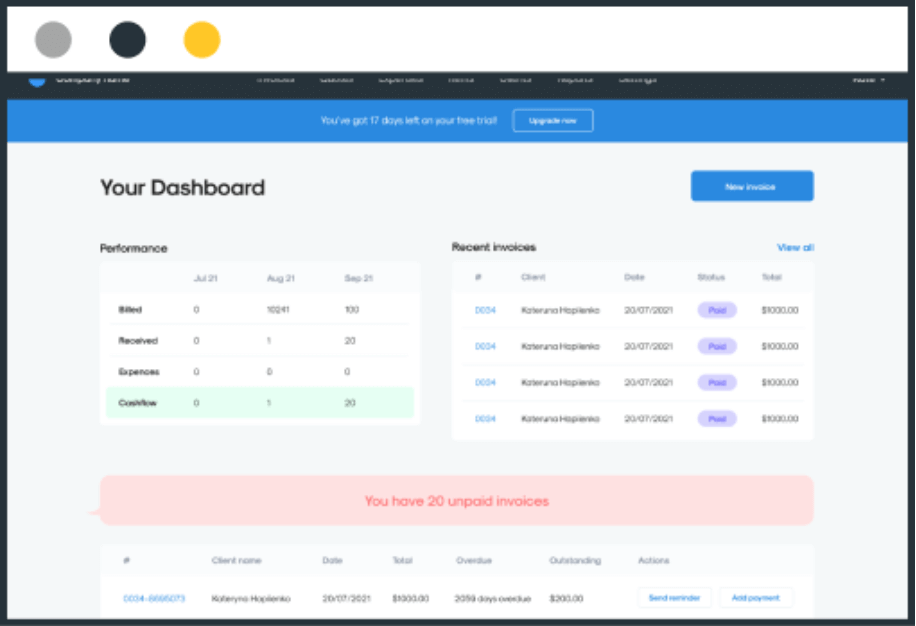
InvoiceBerry helps small businesses put these best practices into action. With multi-currency and multilingual support, built-in payment gateway integrations, and customizable invoice templates, it ensures your invoices are not only accurate but also professional and easy for clients to pay.

7. Monitor payout timelines for different regions
International sales don’t always hit your bank on the same schedule.
Even if you’re using Stripe, PayPal, or Shopify Payments, not every payout runs on the same timeline.
Some regions:
- Have longer settlement windows (e.g., 7-10 days for some cards in Asia)
- Trigger extra holds if you get flagged for high-risk or high-refund patterns
- Require manual ID or tax verification for compliance before funds are released
Watch your payment schedule by:
- Region (EU/UK payments are faster than APAC in many cases)
- Payment method (bank transfer/wire transfer vs. card vs. wallet)
- Gateway policy
Bonus tip: Managing international payments often requires flexible access to funds for covering exchange rate fluctuations or delays. Business credit lines can help smooth out cash flow, making it easier to handle currency conversion and unpredictable transfer timelines.
8. Don’t overlook the tax laws tied to international sales
International payment invoicing is only half the story. Tax registration is the other half.
When businesses start taking payments from customers around the world, most quickly realize that dealing with different currencies and exchange rates is actually the easy part. What catches many off guard are the tax obligations that kick in once sales cross certain thresholds in different states or countries.
Suddenly, a company that was happily processing international transactions finds itself needing to register for tax collection in dozens of jurisdictions and file regular returns.
Companies like Numeral have built entire platforms around solving this headache, automatically tracking when businesses hit registration thresholds and handling everything from the initial paperwork to ongoing tax filings.
It’s interesting how both sides of international commerce—the payment processing and the tax compliance—have evolved to need these same kinds of automated systems. Both problems boil down to managing complex, ever-changing rules across multiple jurisdictions, which is exactly the sort of thing that benefits from letting technology handle the heavy lifting rather than trying to track it all manually.
Quick checklist: Is your store ready for international invoice payments?
- Product prices show in local currencies.
- Your gateway can settle in buyer currencies or route to FX accounts.
- You track FX fees and conversion rates per region.
- Refund and chargeback policies account for exchange losses.
- You’ve reviewed tax obligations in the countries you sell to.
- You’re using invoicing software that supports multi-currency billing and integrates with global payment gateways.
Want to simplify your international payouts?
If you’re scaling your store and eyeing new markets, don’t let international payment invoicing logistics hold you back.
The right tools…and a little knowledge…can keep your money in your pocket while making international clients feel right at home.
But don’t stop at accepting payments. Optimize how they’re processed, converted, and settled. That means using multi-currency accounts, choosing gateways that don’t eat your margins, following tax requirements, and tracking the actual cost of getting paid globally.
If you’re looking for a simpler way to manage international payment invoicing, currency support, and cross-border transactions, try our software for free.